

JavaScript Error Handling - Try, Catch, and Async Patterns
January 22, 2026 • 7 min read
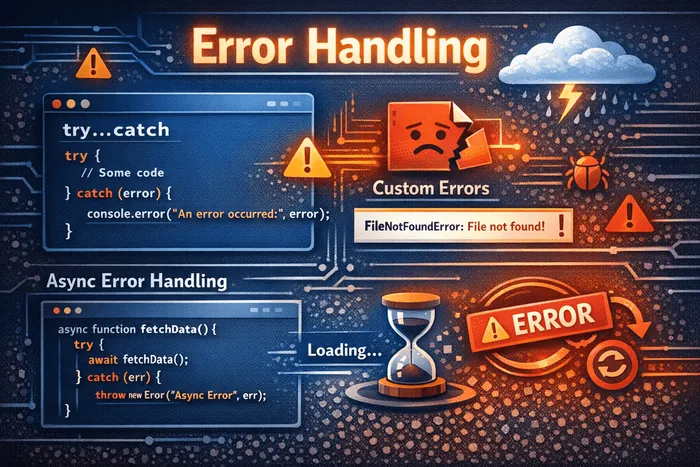
Think of error handling like wearing a seatbelt. You hope you’ll never need it, but when something goes wrong, it’s the difference between a minor inconvenience and a total crash. In JavaScript, errors are inevitable—APIs fail, users enter unexpected data, and edge cases appear out of nowhere. Learning to handle these errors gracefully is what separates fragile code from robust applications.
Let’s explore how to catch, handle, and even create your own errors in JavaScript.
Understanding try…catch
The try...catch statement lets you attempt risky code and handle any errors that occur without crashing your program.
try {
  // Code that might throw an error
  const data = JSON.parse("invalid json");
} catch (error) {
  // Handle the error
  console.log("Something went wrong:", error.message);
}

console.log("Program continues running!");
How it works:
- JavaScript executes the code inside
try - If an error occurs, execution immediately jumps to
catch - The
errorobject contains information about what went wrong - Code after the try…catch continues normally
try {
  console.log("Step 1"); // Runs
  throw new Error("Oops!"); // Error thrown here
  console.log("Step 2"); // Never runs
} catch (error) {
  console.log("Caught:", error.message); // "Caught: Oops!"
}

console.log("Step 3"); // Runs normally
The Error object
When an error is thrown, you receive an Error object with useful properties:
try {
  throw new Error("Something bad happened");
} catch (error) {
  console.log(error.name);    // "Error"
  console.log(error.message); // "Something bad happened"
  console.log(error.stack);   // Full stack trace
}
Built-in error types:
// TypeError: wrong type
const num = null;
// num.toString(); // TypeError: Cannot read properties of null

// ReferenceError: variable doesn't exist
// console.log(undefinedVar); // ReferenceError: undefinedVar is not defined

// SyntaxError: invalid syntax (usually caught at parse time)
// JSON.parse("{invalid}"); // SyntaxError: Unexpected token

// RangeError: number out of range
// const arr = new Array(-1); // RangeError: Invalid array length
The finally block
The finally block runs regardless of whether an error occurred—perfect for cleanup code.
function readFile() {
  const file = openFile("data.txt");

  try {
    const data = file.read();
    return data;
  } catch (error) {
    console.log("Error reading file:", error.message);
    return null;
  } finally {
    // Always runs, even after return!
    file.close();
    console.log("File closed");
  }
}
finally always executes:
function example() {
  try {
    return "from try";
  } finally {
    console.log("Finally runs!"); // This still runs
  }
}

console.log(example()); // "Finally runs!" then "from try"
Throwing your own errors
Use throw to create errors when something goes wrong in your code:
function divide(a, b) {
  if (b === 0) {
    throw new Error("Cannot divide by zero");
  }
  return a / b;
}

try {
  const result = divide(10, 0);
} catch (error) {
  console.log(error.message); // "Cannot divide by zero"
}
Validating function inputs:
function createUser(name, age) {
  if (typeof name !== "string" || name.trim() === "") {
    throw new Error("Name must be a non-empty string");
  }
  if (typeof age !== "number" || age < 0) {
    throw new Error("Age must be a positive number");
  }

  return { name: name.trim(), age };
}

try {
  const user = createUser("", 25);
} catch (error) {
  console.log(error.message); // "Name must be a non-empty string"
}
Creating custom errors
Custom error classes help you distinguish between different error types and add relevant information:
class ValidationError extends Error {
  constructor(message, field) {
    super(message);
    this.name = "ValidationError";
    this.field = field;
  }
}

class NetworkError extends Error {
  constructor(message, statusCode) {
    super(message);
    this.name = "NetworkError";
    this.statusCode = statusCode;
  }
}

function validateEmail(email) {
  if (!email.includes("@")) {
    throw new ValidationError("Invalid email format", "email");
  }
}

try {
  validateEmail("invalid-email");
} catch (error) {
  if (error instanceof ValidationError) {
    console.log(`Field: ${error.field}`); // "Field: email"
    console.log(`Error: ${error.message}`); // "Error: Invalid email format"
  }
}
Handling different error types:
async function fetchUser(id) {
  try {
    const response = await fetch(`/api/users/${id}`);

    if (!response.ok) {
      throw new NetworkError("Failed to fetch user", response.status);
    }

    const data = await response.json();

    if (!data.email) {
      throw new ValidationError("User missing email", "email");
    }

    return data;
  } catch (error) {
    if (error instanceof NetworkError) {
      console.log(`Network error (${error.statusCode}): ${error.message}`);
    } else if (error instanceof ValidationError) {
      console.log(`Validation error in ${error.field}: ${error.message}`);
    } else {
      console.log("Unknown error:", error.message);
    }
    throw error; // Re-throw after logging
  }
}
Async error handling
Handling errors in asynchronous code requires different patterns depending on whether you’re using callbacks, promises, or async/await.
Callbacks (the old way):
// Error-first callback pattern
function fetchData(callback) {
  setTimeout(() => {
    const error = Math.random() > 0.5 ? new Error("Random failure") : null;
    const data = error ? null : { id: 1, name: "Alice" };
    callback(error, data);
  }, 1000);
}

fetchData((error, data) => {
  if (error) {
    console.log("Error:", error.message);
    return;
  }
  console.log("Data:", data);
});
Promises with .catch():
function fetchUser(id) {
  return fetch(`/api/users/${id}`)
    .then(response => {
      if (!response.ok) {
        throw new Error(`HTTP error: ${response.status}`);
      }
      return response.json();
    });
}

// Handling with .catch()
fetchUser(1)
  .then(user => console.log("User:", user))
  .catch(error => console.log("Error:", error.message));

// Chaining with error handling
fetchUser(1)
  .then(user => user.posts)
  .then(posts => console.log("Posts:", posts))
  .catch(error => {
    // Catches errors from any step in the chain
    console.log("Something failed:", error.message);
  });
Async/await with try…catch:
async function getUser(id) {
  try {
    const response = await fetch(`/api/users/${id}`);

    if (!response.ok) {
      throw new Error(`HTTP error: ${response.status}`);
    }

    const user = await response.json();
    return user;
  } catch (error) {
    console.log("Failed to fetch user:", error.message);
    return null;
  }
}

// Using the function
const user = await getUser(1);
if (user) {
  console.log("Got user:", user.name);
}
Handling multiple async operations:
// Promise.all fails fast on first error
async function fetchAllUsers(ids) {
  try {
    const users = await Promise.all(
      ids.map(id => fetchUser(id))
    );
    return users;
  } catch (error) {
    console.log("One request failed:", error.message);
    return [];
  }
}

// Promise.allSettled waits for all, reports each status
async function fetchAllUsersSafe(ids) {
  const results = await Promise.allSettled(
    ids.map(id => fetchUser(id))
  );

  const users = [];
  const errors = [];

  results.forEach((result, index) => {
    if (result.status === "fulfilled") {
      users.push(result.value);
    } else {
      errors.push({ id: ids[index], error: result.reason });
    }
  });

  if (errors.length > 0) {
    console.log("Some requests failed:", errors);
  }

  return users;
}
Error handling patterns
Wrapper function for async/await:
// Utility to avoid repetitive try...catch
async function tryCatch(promise) {
  try {
    const data = await promise;
    return [null, data];
  } catch (error) {
    return [error, null];
  }
}

// Usage
const [error, user] = await tryCatch(fetchUser(1));

if (error) {
  console.log("Error:", error.message);
} else {
  console.log("User:", user);
}
Retry logic:
async function fetchWithRetry(url, maxRetries = 3) {
  let lastError;

  for (let attempt = 1; attempt <= maxRetries; attempt++) {
    try {
      const response = await fetch(url);
      if (!response.ok) throw new Error(`HTTP ${response.status}`);
      return await response.json();
    } catch (error) {
      lastError = error;
      console.log(`Attempt ${attempt} failed: ${error.message}`);

      if (attempt < maxRetries) {
        // Wait before retrying (exponential backoff)
        await new Promise(r => setTimeout(r, 1000 * attempt));
      }
    }
  }

  throw lastError;
}
Default values on error:
async function getUserOrDefault(id) {
  try {
    return await fetchUser(id);
  } catch {
    // Return default user on any error
    return { id, name: "Guest", role: "visitor" };
  }
}
Common pitfalls
1. Swallowing errors silently:
// Bad: error is caught but ignored
try {
  riskyOperation();
} catch (error) {
  // Nothing here - error disappears!
}

// Good: at least log it
try {
  riskyOperation();
} catch (error) {
  console.error("Operation failed:", error);
}
2. Catching too broadly:
// Bad: catches ALL errors, including bugs
try {
  const result = processData(data);
  console.log(resultt); // Typo! ReferenceError
} catch (error) {
  console.log("Data processing failed"); // Hides the real bug
}

// Better: be specific about what you're catching
try {
  const result = processData(data);
  console.log(result);
} catch (error) {
  if (error instanceof DataError) {
    console.log("Invalid data:", error.message);
  } else {
    throw error; // Re-throw unexpected errors
  }
}
3. Forgetting to await:
// Bug: try...catch won't catch async errors!
try {
  fetchData(); // Missing await
} catch (error) {
  console.log("This won't catch fetch errors!");
}

// Fix: await the promise
try {
  await fetchData();
} catch (error) {
  console.log("Now it catches errors");
}
4. Not handling promise rejections:
// Unhandled rejection - can crash Node.js
fetchUser(1).then(user => console.log(user));

// Always add .catch() or use try...catch with await
fetchUser(1)
  .then(user => console.log(user))
  .catch(error => console.log("Failed:", error.message));
Takeaways
- try…catch wraps risky code and prevents crashes
- finally runs cleanup code regardless of success or failure
- throw creates errors when validation fails or something goes wrong
- Custom errors help distinguish between error types and add context
- Async errors need special handling - use
.catch()for promises or try…catch withawait - Don’t swallow errors - always log or handle them appropriately
- Be specific about what errors you catch to avoid hiding bugs
Error handling isn’t just about preventing crashes—it’s about creating a better experience for users and making your code easier to debug. When errors are handled well, they become helpful messages instead of mysterious failures.
Frequently Asked Questions
What's the difference between throw and return?
Return exits a function with a value, while throw exits by raising an error that must be caught. Throw interrupts normal execution flow and propagates up until caught by a try...catch block or crashes the program.
Should I use try...catch everywhere?
No. Use try...catch around code that might fail unpredictably (API calls, file operations, JSON parsing, user input). Don't wrap code where you can prevent errors through validation or type checking instead.
How do I handle errors in Promise.all?
Promise.all fails fast - if any promise rejects, the whole thing rejects. Use Promise.allSettled to wait for all promises regardless of success/failure, then filter the results by status.
What's the difference between Error and TypeError?
Error is the base class for all errors. TypeError is a built-in subclass thrown when a value isn't the expected type (like calling undefined as a function). Other built-ins include ReferenceError, SyntaxError, and RangeError.
Can I rethrow an error after catching it?
Yes! Catch the error, do something with it (like logging), then use throw error to rethrow it. This lets you handle errors at multiple levels while still propagating them up.
How do I handle errors in event listeners?
Wrap the event handler's code in try...catch since errors in event listeners don't propagate normally. You can also use window.onerror or window.addEventListener('error') for global error handling.
Stay in the loop
Get the latest updates on my blog, projects, and tech insights delivered straight to your inbox. No spam, unsubscribe anytime.
By subscribing, you agree to receive occasional updates. Unsubscribe anytime.