JavaScript ES6 Classes and OOP - A Beginner's Guide
January 13, 2026 • 5 min read
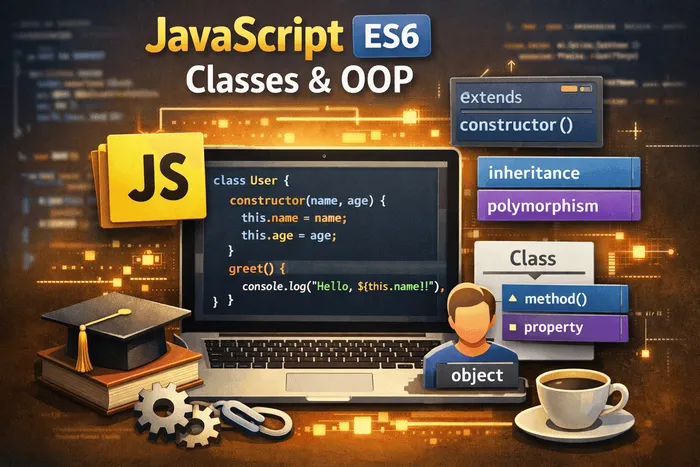
Imagine you’re running a bakery. Instead of writing instructions for each individual cake from scratch, you create a recipe template that tells you: “Every cake needs flour, sugar, eggs, and a baking method.” That template is like a class—a blueprint for creating objects.
Before ES6, JavaScript used prototype-based inheritance which was confusing for developers coming from other languages. ES6 introduced the class syntax, making Object-Oriented Programming (OOP) in JavaScript much more intuitive and readable.
What is Object-Oriented Programming?
OOP is a programming paradigm that organizes code around “objects” rather than functions and logic. Think of objects as things in the real world—a car, a person, a bank account. Each object has:
- Properties: Characteristics or data (a car has a color, model, speed)
- Methods: Actions or behaviors (a car can start, accelerate, brake)
The four main principles of OOP are:
- Encapsulation: Bundling data and methods together
- Abstraction: Hiding complex implementation details
- Inheritance: Creating new classes based on existing ones
- Polymorphism: Objects can take many forms
Creating your first class
Let’s create a simple Person class:
class Person {
  constructor(name, age) {
    this.name = name;
    this.age = age;
  }

  greet() {
    console.log(`Hi, I'm ${this.name} and I'm ${this.age} years old.`);
  }
}

// Creating instances (objects) from the class
const alice = new Person("Alice", 25);
const bob = new Person("Bob", 30);

alice.greet(); // Hi, I'm Alice and I'm 25 years old.
bob.greet();   // Hi, I'm Bob and I'm 30 years old.
Let’s break this down:
class Person: Declares a new class named Personconstructor(): A special method that runs when you create a new instance withnewthis: Refers to the current instance being createdgreet(): A method that all Person instances can usenew Person(): Creates a new instance of the Person class
The constructor method
The constructor is called automatically when you use new. It’s where you initialize the object’s properties:
class BankAccount {
  constructor(owner, initialBalance = 0) {
    this.owner = owner;
    this.balance = initialBalance;
    this.transactions = [];
  }

  deposit(amount) {
    this.balance += amount;
    this.transactions.push({ type: "deposit", amount });
    console.log(`Deposited $${amount}. New balance: $${this.balance}`);
  }

  withdraw(amount) {
    if (amount > this.balance) {
      console.log("Insufficient funds!");
      return;
    }
    this.balance -= amount;
    this.transactions.push({ type: "withdrawal", amount });
    console.log(`Withdrew $${amount}. New balance: $${this.balance}`);
  }
}

const myAccount = new BankAccount("Alice", 100);
myAccount.deposit(50);   // Deposited $50. New balance: $150
myAccount.withdraw(30);  // Withdrew $30. New balance: $120
myAccount.withdraw(200); // Insufficient funds!
Notice how initialBalance = 0 provides a default value if none is given.
Inheritance with extends
Inheritance lets you create a new class based on an existing one. The new class inherits all properties and methods from the parent:
class Animal {
  constructor(name) {
    this.name = name;
  }

  speak() {
    console.log(`${this.name} makes a sound.`);
  }

  sleep() {
    console.log(`${this.name} is sleeping. Zzz...`);
  }
}

class Dog extends Animal {
  constructor(name, breed) {
    super(name); // Call the parent constructor
    this.breed = breed;
  }

  speak() {
    console.log(`${this.name} barks! Woof woof!`);
  }

  fetch() {
    console.log(`${this.name} is fetching the ball!`);
  }
}

class Cat extends Animal {
  speak() {
    console.log(`${this.name} meows! Meow~`);
  }
}

const dog = new Dog("Buddy", "Golden Retriever");
const cat = new Cat("Whiskers");

dog.speak();  // Buddy barks! Woof woof!
dog.sleep();  // Buddy is sleeping. Zzz...
dog.fetch();  // Buddy is fetching the ball!

cat.speak();  // Whiskers meows! Meow~
cat.sleep();  // Whiskers is sleeping. Zzz...
Key concepts:
extends: Creates a child class that inherits from a parentsuper(): Calls the parent class constructor (required in child constructors)- Method overriding: Child classes can redefine parent methods (like
speak())
Getters and setters
Getters and setters let you define computed properties and add validation:
class Circle {
  constructor(radius) {
    this._radius = radius; // Convention: _ prefix for "private" properties
  }

  // Getter - accessed like a property
  get radius() {
    return this._radius;
  }

  // Setter - validates before setting
  set radius(value) {
    if (value <= 0) {
      console.log("Radius must be positive!");
      return;
    }
    this._radius = value;
  }

  // Computed property
  get area() {
    return Math.PI * this._radius ** 2;
  }

  get circumference() {
    return 2 * Math.PI * this._radius;
  }
}

const circle = new Circle(5);

console.log(circle.radius);        // 5
console.log(circle.area);          // 78.54...
console.log(circle.circumference); // 31.42...

circle.radius = 10;
console.log(circle.area);          // 314.16...

circle.radius = -5; // Radius must be positive!
Getters and setters are accessed like properties (no parentheses), but they run functions behind the scenes.
Static methods and properties
Static members belong to the class itself, not to instances:
class MathHelper {
  static PI = 3.14159;

  static square(n) {
    return n * n;
  }

  static cube(n) {
    return n * n * n;
  }

  static isEven(n) {
    return n % 2 === 0;
  }
}

// Called on the class, not an instance
console.log(MathHelper.PI);        // 3.14159
console.log(MathHelper.square(4)); // 16
console.log(MathHelper.cube(3));   // 27
console.log(MathHelper.isEven(7)); // false

// This won't work:
// const helper = new MathHelper();
// helper.square(4); // Error! square is not a function
Use static methods for utility functions that don’t need instance data.
Private fields (ES2022)
Modern JavaScript supports truly private fields using the # prefix:
class User {
  #password; // Private field

  constructor(username, password) {
    this.username = username;
    this.#password = password;
  }

  checkPassword(input) {
    return input === this.#password;
  }

  changePassword(oldPass, newPass) {
    if (this.checkPassword(oldPass)) {
      this.#password = newPass;
      console.log("Password changed successfully!");
      return true;
    }
    console.log("Incorrect old password!");
    return false;
  }
}

const user = new User("alice", "secret123");

console.log(user.username);     // alice
console.log(user.checkPassword("secret123")); // true
// console.log(user.#password); // SyntaxError! Private field

user.changePassword("secret123", "newSecret"); // Password changed successfully!
Private fields cannot be accessed outside the class, providing true encapsulation.
Practical example: Building a todo list
Let’s combine what we’ve learned into a practical example:
class TodoItem {
  #completed = false;

  constructor(text) {
    this.text = text;
    this.createdAt = new Date();
  }

  get completed() {
    return this.#completed;
  }

  toggle() {
    this.#completed = !this.#completed;
  }
}

class TodoList {
  #items = [];

  add(text) {
    const item = new TodoItem(text);
    this.#items.push(item);
    console.log(`Added: "${text}"`);
  }

  toggle(index) {
    if (index >= 0 && index < this.#items.length) {
      this.#items[index].toggle();
    }
  }

  get all() {
    return this.#items.map((item, i) => ({
      index: i,
      text: item.text,
      completed: item.completed,
    }));
  }

  get pending() {
    return this.all.filter((item) => !item.completed);
  }

  get done() {
    return this.all.filter((item) => item.completed);
  }
}

const todos = new TodoList();
todos.add("Learn ES6 classes");
todos.add("Practice OOP");
todos.add("Build a project");

todos.toggle(0); // Mark first item as complete

console.log("All:", todos.all);
console.log("Pending:", todos.pending);
console.log("Done:", todos.done);
Common pitfalls to avoid
1. Forgetting new keyword
// Wrong - will cause errors or unexpected behavior
const person = Person("Alice", 25);

// Correct
const person = new Person("Alice", 25);
2. Forgetting super() in child constructors
class Child extends Parent {
  constructor(name) {
    // super() must be called before using 'this'
    super();
    this.name = name;
  }
}
3. Arrow functions in class methods
class Button {
  constructor(label) {
    this.label = label;
  }

  // Regular method - 'this' depends on how it's called
  handleClick() {
    console.log(this.label);
  }

  // Arrow function as class field - 'this' is always the instance
  handleClickArrow = () => {
    console.log(this.label);
  };
}
When to use classes
Classes are ideal when you need to:
- Create multiple objects with the same structure
- Model real-world entities (users, products, orders)
- Organize related data and behavior together
- Use inheritance to share code between similar objects
For simple objects or one-off configurations, plain objects work fine:
// Simple config - no need for a class
const config = {
  apiUrl: "https://api.example.com",
  timeout: 5000,
};

// Multiple users - class makes sense
class User {
  /* ... */
}
ES6 classes bring a familiar, readable syntax to JavaScript’s object-oriented capabilities. While the prototype system still runs underneath, classes make it much easier to structure your code, especially when building larger applications. Start with simple classes, then gradually explore inheritance and encapsulation as your projects grow!
Frequently Asked Questions
Are ES6 classes just syntactic sugar over prototypes?
Yes, under the hood, ES6 classes still use JavaScript's prototype-based inheritance. The class syntax just provides a cleaner, more familiar way to work with it.
Should I always use classes for OOP in JavaScript?
Not necessarily. JavaScript is flexible—you can also use factory functions, object composition, or plain objects. Classes are great when you need inheritance and a clear structure.
Can I use classes in all browsers?
ES6 classes are supported in all modern browsers. For older browsers (IE11), you'd need a transpiler like Babel.
What's the difference between class fields and constructor assignments?
Class fields are declared outside the constructor and can have default values. Both approaches work, but class fields are cleaner for properties that don't depend on constructor arguments.
Stay in the loop
Get the latest updates on my blog, projects, and tech insights delivered straight to your inbox. No spam, unsubscribe anytime.
By subscribing, you agree to receive occasional updates. Unsubscribe anytime.