JavaScript Functions - Declarations, Arrows, and Modern Syntax
January 19, 2026 • 13 min read
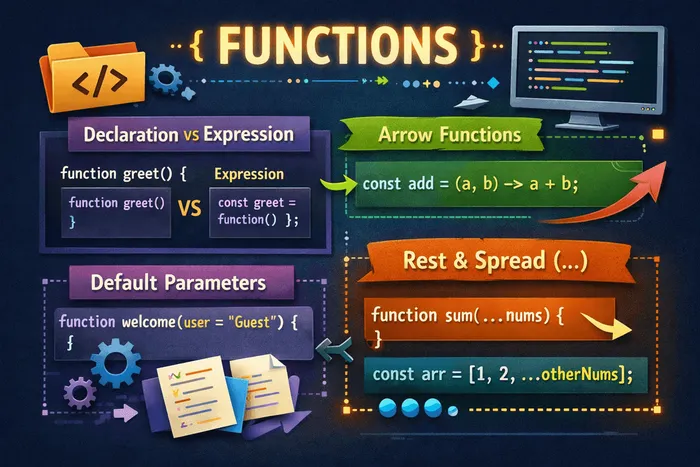
Think of functions as recipes in a cookbook. A recipe takes ingredients (parameters), follows a set of instructions (function body), and produces a dish (return value). JavaScript gives you multiple ways to write these recipes—some traditional, some modern and concise. Understanding when to use each style will make your code cleaner and more expressive.
Let’s explore the different ways to create functions in JavaScript and the modern features that make them more powerful.
Function declarations
A function declaration is the classic way to define a function. It starts with the function keyword followed by a name.
function greet(name) {
  return `Hello, ${name}!`;
}

console.log(greet("Alice")); // "Hello, Alice!"
Key characteristics:
- Hoisting: Function declarations are fully hoisted—you can call them before they appear in your code.
// This works!
sayHello(); // "Hello!"

function sayHello() {
  console.log("Hello!");
}-
Named: They always have a name, which appears in stack traces for easier debugging.
-
Statement: They’re standalone statements, not expressions.
function add(a, b) {
  return a + b;
}

function multiply(a, b) {
  return a * b;
}

function isEven(num) {
  return num % 2 === 0;
}
Function expressions
A function expression creates a function and assigns it to a variable. The function can be anonymous or named.
// Anonymous function expression
const greet = function(name) {
  return `Hello, ${name}!`;
};

// Named function expression
const factorial = function fact(n) {
  if (n <= 1) return 1;
  return n * fact(n - 1); // Can reference itself by name
};

console.log(greet("Bob")); // "Hello, Bob!"
console.log(factorial(5)); // 120
Key characteristics:
- Not hoisted: Function expressions are only available after the assignment.
// This throws an error!
// sayHi(); // TypeError: sayHi is not a function

const sayHi = function() {
  console.log("Hi!");
};

sayHi(); // "Hi!" (works here)-
Can be anonymous: The function doesn’t need a name (though named expressions help with debugging).
-
Expression: They can be used anywhere an expression is valid—as arguments, in ternaries, etc.
// As a callback
const numbers = [1, 2, 3];
const doubled = numbers.map(function(n) {
  return n * 2;
});

// In a ternary
const operation = true
  ? function(x) { return x * 2; }
  : function(x) { return x / 2; };
Declarations vs expressions: when to use which
| Aspect | Declaration | Expression |
|---|---|---|
| Hoisting | Fully hoisted | Not hoisted |
| Naming | Always named | Can be anonymous |
| Use case | Main functions | Callbacks, assignments |
| Conditional | Can’t be conditional | Can be conditional |
// Declaration: Use for main, reusable functions
function calculateTax(amount, rate) {
  return amount * rate;
}

// Expression: Use for callbacks and one-off functions
const handler = function(event) {
  console.log(event.target);
};

// Expression: Conditional assignment
const logger = DEBUG
  ? function(msg) { console.log(`[DEBUG] ${msg}`); }
  : function(msg) { /* no-op */ };
Arrow functions
Arrow functions (introduced in ES6) provide a shorter syntax for writing functions. They use the => syntax.
// Traditional function expression
const add = function(a, b) {
  return a + b;
};

// Arrow function
const addArrow = (a, b) => {
  return a + b;
};

// Concise arrow function (implicit return)
const addConcise = (a, b) => a + b;

console.log(add(2, 3));        // 5
console.log(addArrow(2, 3));   // 5
console.log(addConcise(2, 3)); // 5
Syntax variations:
// Multiple parameters: parentheses required
const multiply = (a, b) => a * b;

// Single parameter: parentheses optional
const double = x => x * 2;
const doubleWithParens = (x) => x * 2; // Also valid

// No parameters: empty parentheses required
const getRandom = () => Math.random();

// Multiple statements: braces and return required
const calculate = (a, b) => {
  const sum = a + b;
  const product = a * b;
  return { sum, product };
};

// Returning an object: wrap in parentheses
const createUser = (name, age) => ({ name, age });
console.log(createUser("Alice", 25)); // { name: "Alice", age: 25 }
Arrow functions shine with array methods:
const numbers = [1, 2, 3, 4, 5];

// Filter even numbers
const evens = numbers.filter(n => n % 2 === 0);
console.log(evens); // [2, 4]

// Double each number
const doubled = numbers.map(n => n * 2);
console.log(doubled); // [2, 4, 6, 8, 10]

// Sum all numbers
const sum = numbers.reduce((acc, n) => acc + n, 0);
console.log(sum); // 15

// Chain operations
const result = numbers
  .filter(n => n > 2)
  .map(n => n * 2)
  .reduce((acc, n) => acc + n, 0);
console.log(result); // 24 (3*2 + 4*2 + 5*2)
Arrow functions and “this”
The most important difference between arrow functions and regular functions is how they handle this. Arrow functions don’t have their own this—they inherit it from the surrounding scope.
// Problem with regular functions
const timer = {
  seconds: 0,
  start: function() {
    setInterval(function() {
      this.seconds++; // 'this' is NOT the timer object!
      console.log(this.seconds); // NaN
    }, 1000);
  }
};

// Solution 1: Arrow function (lexical this)
const timerFixed = {
  seconds: 0,
  start: function() {
    setInterval(() => {
      this.seconds++; // 'this' IS the timer object
      console.log(this.seconds); // 1, 2, 3...
    }, 1000);
  }
};

// Solution 2: The old way with 'self' (before arrow functions)
const timerOld = {
  seconds: 0,
  start: function() {
    const self = this;
    setInterval(function() {
      self.seconds++;
      console.log(self.seconds);
    }, 1000);
  }
};
When NOT to use arrow functions:
// 1. Object methods that use 'this'
const user = {
  name: "Alice",
  // Bad: arrow function doesn't have its own 'this'
  greetArrow: () => {
    console.log(`Hi, I'm ${this.name}`); // undefined!
  },
  // Good: regular function has 'this' bound to user
  greet: function() {
    console.log(`Hi, I'm ${this.name}`); // "Hi, I'm Alice"
  }
};

// 2. Constructors (arrow functions can't be used with 'new')
const Person = (name) => {
  this.name = name;
};
// new Person("Alice"); // TypeError: Person is not a constructor

// 3. When you need the 'arguments' object
const showArgs = () => {
  console.log(arguments); // ReferenceError in strict mode
};

function showArgsRegular() {
  console.log(arguments); // Works: [1, 2, 3]
}
showArgsRegular(1, 2, 3);
Default parameters
Default parameters allow you to specify fallback values when arguments are not provided or are undefined.
// Before ES6: checking for undefined manually
function greetOld(name) {
  name = name || "Guest";
  return `Hello, ${name}!`;
}

// With default parameters (ES6+)
function greet(name = "Guest") {
  return `Hello, ${name}!`;
}

console.log(greet());        // "Hello, Guest!"
console.log(greet("Alice")); // "Hello, Alice!"
Default parameters only apply to undefined:
function example(value = "default") {
  console.log(value);
}

example();          // "default"
example(undefined); // "default"
example(null);      // null (not replaced!)
example(0);         // 0
example("");        // "" (empty string)
example(false);     // false
Multiple default parameters:
function createUser(name = "Anonymous", age = 0, role = "user") {
  return { name, age, role };
}

console.log(createUser());
// { name: "Anonymous", age: 0, role: "user" }

console.log(createUser("Alice", 25));
// { name: "Alice", age: 25, role: "user" }

console.log(createUser("Bob", 30, "admin"));
// { name: "Bob", age: 30, role: "admin" }
Using expressions as defaults:
function getId(id = Date.now()) {
  return id;
}

function greet(name, greeting = `Hello, ${name}!`) {
  return greeting;
}

console.log(greet("Alice")); // "Hello, Alice!"
console.log(greet("Bob", "Hi there!")); // "Hi there!"
Default parameters with destructuring:
// Object destructuring with defaults
function configure({ host = "localhost", port = 3000 } = {}) {
  console.log(`Server at ${host}:${port}`);
}

configure(); // "Server at localhost:3000"
configure({ port: 8080 }); // "Server at localhost:8080"
configure({ host: "api.example.com", port: 443 }); // "Server at api.example.com:443"

// Array destructuring with defaults
function getCoordinates([x = 0, y = 0] = []) {
  return { x, y };
}

console.log(getCoordinates()); // { x: 0, y: 0 }
console.log(getCoordinates([5])); // { x: 5, y: 0 }
console.log(getCoordinates([5, 10])); // { x: 5, y: 10 }
Rest parameters
Rest parameters (...) collect all remaining arguments into an array. Unlike the arguments object, rest parameters are a real array.
function sum(...numbers) {
  return numbers.reduce((total, n) => total + n, 0);
}

console.log(sum(1, 2, 3));     // 6
console.log(sum(1, 2, 3, 4, 5)); // 15
console.log(sum());             // 0
Rest parameters must be last:
// Collect remaining arguments
function greet(greeting, ...names) {
  return names.map(name => `${greeting}, ${name}!`);
}

console.log(greet("Hello", "Alice", "Bob", "Charlie"));
// ["Hello, Alice!", "Hello, Bob!", "Hello, Charlie!"]

// First two parameters are separate, rest are collected
function calculate(operation, initial, ...values) {
  if (operation === "sum") {
    return values.reduce((acc, v) => acc + v, initial);
  }
  if (operation === "multiply") {
    return values.reduce((acc, v) => acc * v, initial);
  }
}

console.log(calculate("sum", 0, 1, 2, 3)); // 6
console.log(calculate("multiply", 1, 2, 3, 4)); // 24
Rest vs arguments:
// Old way: arguments object
function oldWay() {
  // arguments is array-like, not a real array
  const args = Array.from(arguments);
  return args.map(x => x * 2);
}

// Modern way: rest parameters
function modernWay(...args) {
  // args is a real array
  return args.map(x => x * 2);
}

console.log(oldWay(1, 2, 3));    // [2, 4, 6]
console.log(modernWay(1, 2, 3)); // [2, 4, 6]
Rest in arrow functions:
// Arrow functions don't have 'arguments', so rest is essential
const multiply = (...nums) => nums.reduce((a, b) => a * b, 1);

console.log(multiply(2, 3, 4)); // 24
The spread operator
The spread operator (...) looks identical to rest parameters but does the opposite—it expands an iterable into individual elements.
Spreading arrays:
const arr1 = [1, 2, 3];
const arr2 = [4, 5, 6];

// Combining arrays
const combined = [...arr1, ...arr2];
console.log(combined); // [1, 2, 3, 4, 5, 6]

// Adding elements
const withExtra = [0, ...arr1, 3.5, ...arr2, 7];
console.log(withExtra); // [0, 1, 2, 3, 3.5, 4, 5, 6, 7]

// Copying an array (shallow copy)
const copy = [...arr1];
copy.push(4);
console.log(arr1); // [1, 2, 3] (unchanged)
console.log(copy); // [1, 2, 3, 4]
Spreading into function arguments:
const numbers = [5, 2, 8, 1, 9];

// Without spread: doesn't work as expected
console.log(Math.max(numbers)); // NaN

// With spread: works perfectly
console.log(Math.max(...numbers)); // 9
console.log(Math.min(...numbers)); // 1

// Equivalent to:
console.log(Math.max(5, 2, 8, 1, 9)); // 9
Spreading objects:
const defaults = {
  theme: "light",
  fontSize: 14,
  language: "en"
};

const userPrefs = {
  theme: "dark",
  fontSize: 16
};

// Merge objects (later properties override earlier ones)
const settings = { ...defaults, ...userPrefs };
console.log(settings);
// { theme: "dark", fontSize: 16, language: "en" }

// Add/override specific properties
const enhanced = { ...settings, showLineNumbers: true, fontSize: 18 };
console.log(enhanced);
// { theme: "dark", fontSize: 18, language: "en", showLineNumbers: true }
Copying objects (shallow):
const original = { a: 1, b: { c: 2 } };
const copy = { ...original };

copy.a = 100;
copy.b.c = 200;

console.log(original.a);   // 1 (unchanged)
console.log(original.b.c); // 200 (changed! nested objects are shared)
Rest vs spread: understanding the context
The ... syntax means different things depending on where it’s used:
// SPREAD: Expanding into elements/properties
// Used in: array literals, object literals, function calls

const arr = [1, 2, 3];
const expanded = [...arr, 4, 5]; // Spread in array literal
const obj = { ...{ a: 1 }, b: 2 }; // Spread in object literal
Math.max(...arr); // Spread in function call

// REST: Collecting into an array
// Used in: function parameters, destructuring

function sum(...numbers) { } // Rest in function parameters
const [first, ...others] = arr; // Rest in array destructuring
const { a, ...rest } = obj; // Rest in object destructuring
Combining rest and spread:
// Forwarding arguments to another function
function wrapper(...args) {
  console.log("Called with:", args);
  return originalFunction(...args);
}

// Creating a modified copy of array without certain elements
function removeFirst(first, ...rest) {
  return rest;
}
console.log(removeFirst(1, 2, 3, 4)); // [2, 3, 4]

// Swapping variables
let a = 1, b = 2;
[a, b] = [b, a];
console.log(a, b); // 2, 1
Practical examples
Example 1: Flexible API function
function fetchData(url, {
  method = "GET",
  headers = {},
  body = null,
  timeout = 5000
} = {}) {
  console.log(`${method} ${url}`);
  console.log("Headers:", headers);
  console.log("Body:", body);
  console.log("Timeout:", timeout);
}

// Call with various options
fetchData("/api/users");
fetchData("/api/users", { method: "POST", body: { name: "Alice" } });
fetchData("/api/data", { timeout: 10000, headers: { "Auth": "token" } });
Example 2: Event handler factory
const createHandler = (eventType, ...callbacks) => {
  return (event) => {
    console.log(`Handling ${eventType} event`);
    callbacks.forEach(cb => cb(event));
  };
};

const clickHandler = createHandler(
  "click",
  (e) => console.log("Callback 1:", e.target),
  (e) => console.log("Callback 2:", e.type)
);
Example 3: Array utilities
// Remove duplicates
const unique = (...arrays) => [...new Set(arrays.flat())];
console.log(unique([1, 2], [2, 3], [3, 4])); // [1, 2, 3, 4]

// Partition array by condition
const partition = (arr, predicate) => {
  return arr.reduce(
    ([pass, fail], item) =>
      predicate(item) ? [[...pass, item], fail] : [pass, [...fail, item]],
    [[], []]
  );
};

const [evens, odds] = partition([1, 2, 3, 4, 5], n => n % 2 === 0);
console.log(evens); // [2, 4]
console.log(odds);  // [1, 3, 5]
Example 4: Compose functions
const compose = (...fns) => (x) => fns.reduceRight((acc, fn) => fn(acc), x);

const addOne = x => x + 1;
const double = x => x * 2;
const square = x => x * x;

const compute = compose(square, double, addOne);
console.log(compute(3)); // ((3 + 1) * 2)² = 64
Common pitfalls
1. Forgetting parentheses when returning objects
// Bug: returns undefined
const getUser = (name) => { name: name };
console.log(getUser("Alice")); // undefined

// Fix: wrap object in parentheses
const getUserFixed = (name) => ({ name: name });
console.log(getUserFixed("Alice")); // { name: "Alice" }
2. Using arrow functions for methods
const counter = {
  count: 0,
  // Bug: 'this' doesn't refer to counter
  incrementArrow: () => {
    this.count++;
  },
  // Fix: use regular function
  increment: function() {
    this.count++;
  }
};
3. Default parameter evaluation order
// Parameters are evaluated left to right
function example(a = 1, b = a + 1) {
  console.log(a, b);
}

example();     // 1, 2
example(5);    // 5, 6
example(5, 10); // 5, 10

// Can't reference later parameters
function broken(a = b, b = 1) {
  console.log(a, b);
}
// broken(); // ReferenceError: Cannot access 'b' before initialization
4. Spread only does shallow copies
const original = {
  name: "Alice",
  address: { city: "NYC" }
};

const copy = { ...original };
copy.address.city = "LA";

console.log(original.address.city); // "LA" (also changed!)

// For deep copy, use structuredClone or a library
const deepCopy = structuredClone(original);
Best practices
- Use arrow functions for callbacks: They’re concise and handle
thiscorrectly.
// Good
items.map(item => item.name);
items.filter(item => item.active);

// Avoid
items.map(function(item) { return item.name; });- Use default parameters instead of || checks:
// Good
function greet(name = "Guest") { }

// Avoid
function greet(name) {
  name = name || "Guest"; // Fails for empty string, 0, false
}- Use rest parameters instead of arguments:
// Good
function sum(...numbers) {
  return numbers.reduce((a, b) => a + b, 0);
}

// Avoid
function sum() {
  return Array.from(arguments).reduce((a, b) => a + b, 0);
}- Use spread for immutable updates:
// Good: creates new array/object
const newArray = [...oldArray, newItem];
const newObject = { ...oldObject, newProp: value };

// Avoid: mutates original
oldArray.push(newItem);
oldObject.newProp = value;
Takeaways
- Function declarations are hoisted and good for main, reusable functions
- Function expressions offer flexibility for callbacks and conditional assignment
- Arrow functions provide concise syntax and lexical
thisbinding - Default parameters eliminate manual
undefinedchecks - Rest parameters collect arguments into a real array
- Spread operator expands arrays and objects into individual elements
- Choose the right function style based on your needs for
thisbinding, hoisting, and conciseness
Understanding these patterns will make your JavaScript code more expressive, readable, and maintainable.
Frequently Asked Questions
What's the difference between function declarations and function expressions?
Function declarations are hoisted and can be called before they appear in code. Function expressions are assigned to variables and are only available after the assignment. Declarations use the syntax "function name()" while expressions assign an anonymous or named function to a variable.
When should I use arrow functions?
Use arrow functions for short callbacks, array methods like map/filter/reduce, and when you need to preserve the lexical "this" binding. Avoid them for object methods, constructors, or when you need access to the arguments object.
What does the spread operator do?
The spread operator (...) expands an iterable (array, string) into individual elements. It's used for copying arrays, merging arrays/objects, and passing array elements as function arguments.
What are rest parameters?
Rest parameters (...args) collect multiple function arguments into an array. Unlike the arguments object, rest parameters are a real array and can be used with array methods directly.
Can I have default parameters with destructuring?
Yes! You can combine default parameters with destructuring for powerful patterns like "function greet({ name = 'Guest', age = 0 } = {})". This allows default values for both the object and its properties.
Do arrow functions have their own "this"?
No. Arrow functions inherit "this" from their enclosing scope (lexical this). This makes them ideal for callbacks but unsuitable for object methods that need to reference the object via "this".
Stay in the loop
Get the latest updates on my blog, projects, and tech insights delivered straight to your inbox. No spam, unsubscribe anytime.
By subscribing, you agree to receive occasional updates. Unsubscribe anytime.