Node.js Architecture: V8, Libuv, and the Thread Pool
December 20, 2025 • 8 min read
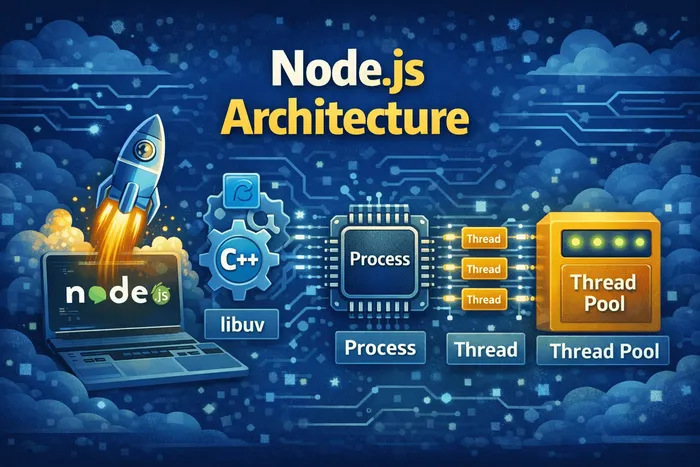
Have you ever wondered what makes Node.js tick? How can JavaScript—a language designed for browsers—suddenly read files, create servers, and handle thousands of connections? The answer lies in Node’s powerful architecture.
Think of Node.js as a translator that lets JavaScript talk to your computer’s operating system. Behind the scenes, it relies on two key components: the V8 engine and Libuv. Let’s break down how these pieces work together.
The Two Pillars of Node.js
Node.js has several dependencies, but two are fundamental:
- V8 Engine - Converts JavaScript into machine code
- Libuv - Provides access to the operating system and handles async I/O
Without V8, Node would have no way to understand JavaScript. Without Libuv, Node couldn’t interact with files, networks, or your computer’s resources.
V8: The JavaScript Engine
V8 is Google’s open-source JavaScript engine, originally built for Chrome. Its job is straightforward but crucial: take your JavaScript code and convert it into machine code that your computer’s processor can execute.
// You write this JavaScript
const greeting = "Hello, " + "World!";
console.log(greeting);

// V8 converts it to machine code your CPU understands
// (binary instructions the processor executes directly)
Here’s what makes V8 special:
- Just-In-Time (JIT) compilation: V8 compiles JavaScript to machine code at runtime, making it extremely fast
- Memory management: V8 handles garbage collection automatically
- Optimization: It continuously optimizes frequently-run code
V8 is written in C++, which allows it to perform low-level operations that JavaScript alone cannot do.
Libuv: The I/O Powerhouse
While V8 handles JavaScript execution, Libuv handles everything else—file system access, networking, timers, and more. It’s an open-source library focused on asynchronous I/O (input/output).
Libuv gives Node.js access to:
- The underlying operating system
- File system operations
- Network operations (TCP, UDP, DNS)
- Child processes
- Timers and scheduling
Most importantly, Libuv implements two critical features:
- The Event Loop - Handles lightweight tasks like callbacks and network I/O
- The Thread Pool - Handles heavy operations like file access and compression
const fs = require('fs');

// This non-blocking file read is powered by Libuv
fs.readFile('data.txt', 'utf8', (err, data) => {
  console.log(data);
});

console.log('This prints first!');
Libuv is written entirely in C++, not JavaScript. This is why Node.js is actually a C++ program with a JavaScript interface.
The Beauty of Abstraction
Here’s something remarkable: Node.js ties V8, Libuv, and other libraries together and exposes them through pure JavaScript. You never have to write C++ code to read files or create servers.
// You write simple JavaScript
const fs = require('fs');
const content = fs.readFileSync('file.txt', 'utf8');

// Behind the scenes, this calls C++ code in Libuv
// which talks to your operating system
Node.js provides a nice abstraction layer. You get the simplicity of JavaScript with the power of low-level system access.
Other Dependencies
Besides V8 and Libuv, Node.js relies on a few other libraries:
- http-parser - For parsing HTTP requests and responses
- c-ares - For asynchronous DNS requests
- OpenSSL - For cryptography (HTTPS, encryption)
- zlib - For compression (gzip, deflate)
These are less critical to understand, but they’re part of what makes Node.js a complete server-side platform.
Understanding Processes and Threads
Before diving into the thread pool, let’s clarify some terms:
Process: A program in execution. When you run node app.js, you start a Node.js process. Each process has its own memory space.
Thread: A sequence of instructions within a process. Think of it as a worker that executes code step by step.
# This starts a Node.js process
node app.js

# Inside your code, you can access the process
// Node provides a global 'process' object
console.log(process.pid); // Process ID
console.log(process.version); // Node.js version
console.log(process.platform); // 'linux', 'darwin', 'win32'Node.js is Single-Threaded (Sort Of)
Here’s a critical concept: Node.js runs JavaScript in a single thread.
This means your code executes in one thread, whether you have 10 users or 10 million users. This makes Node.js simple but also means you must be careful not to block that thread.
// This blocks the entire thread - BAD!
function blockingOperation() {
  let sum = 0;
  for (let i = 0; i < 10000000000; i++) {
    sum += i;
  }
  return sum;
}

// While this runs, Node can't do ANYTHING else
// No handling requests, no callbacks, nothing
What Happens When Node Starts
When you run a Node.js application, here’s the sequence:
- Top-level code executes - All code not inside callbacks runs first
- Modules are required - Dependencies are loaded
- Callbacks are registered - Event handlers are set up
- Event loop starts - The heart of Node begins beating
// 1. Top-level code runs first
console.log('Starting app...');
const http = require('http');

// 2. Callback is registered (not executed yet)
const server = http.createServer((req, res) => {
  res.end('Hello World');
});

// 3. More top-level code
server.listen(3000);
console.log('Server ready');

// 4. Now the event loop takes over, waiting for requests
The Thread Pool: Handling Heavy Work
Some operations are too expensive to run in the event loop—they would block the single thread. That’s where the thread pool comes in.
Libuv provides a thread pool with 4 additional threads by default (configurable up to 128). These threads handle heavy operations separately from the main thread.
// You can configure the thread pool size
process.env.UV_THREADPOOL_SIZE = 8; // Use 8 threads instead of 4
What Goes to the Thread Pool?
Node.js automatically offloads these expensive operations to the thread pool:
- File system operations - Reading/writing files
- Cryptography - Hashing passwords, encryption
- Compression - Gzip, deflate operations
- DNS lookups - Resolving domain names to IP addresses
const crypto = require('crypto');
const fs = require('fs');

// This runs in the thread pool, not blocking the main thread
crypto.pbkdf2('password', 'salt', 100000, 64, 'sha512', (err, key) => {
  console.log('Password hashed');
});

// This also runs in the thread pool
fs.readFile('large-file.txt', (err, data) => {
  console.log('File read complete');
});

// Main thread is free to handle other work
console.log('Main thread continues...');
The event loop can offload work to the thread pool and continue processing other tasks. When the thread pool finishes, it notifies the event loop, which then runs the callback.
Visualizing the Architecture
┌─────────────────────────────────────────────────────────┐
│                     Node.js                              │
│                                                          │
│   ┌──────────────┐         ┌──────────────────────┐     │
│   │              │         │       Libuv          │     │
│   │   V8 Engine  │         │                      │     │
│   │              │         │  ┌────────────────┐  │     │
│   │  JavaScript  │◄───────►│  │   Event Loop   │  │     │
│   │  Execution   │         │  └────────────────┘  │     │
│   │              │         │                      │     │
│   └──────────────┘         │  ┌────────────────┐  │     │
│                            │  │  Thread Pool   │  │     │
│                            │  │  (4 threads)   │  │     │
│                            │  └────────────────┘  │     │
│                            └──────────────────────┘     │
│                                       │                  │
│                                       ▼                  │
│                            ┌──────────────────┐         │
│                            │ Operating System │         │
│                            │ (files, network) │         │
│                            └──────────────────┘         │
└─────────────────────────────────────────────────────────┘
Event Loop vs Thread Pool
Understanding when each is used:
| Event Loop | Thread Pool |
|---|---|
| Callbacks | File I/O |
| Network I/O | Cryptography |
| Timers | Compression |
| setImmediate | DNS lookups |
// Event Loop handles this (network I/O)
http.get('https://api.example.com', (res) => {
  console.log('Response received');
});

// Thread Pool handles this (file I/O)
fs.readFile('data.json', (err, data) => {
  console.log('File read');
});

// Event Loop handles this (timer)
setTimeout(() => {
  console.log('Timer fired');
}, 1000);

// Thread Pool handles this (cryptography)
crypto.randomBytes(256, (err, buf) => {
  console.log('Random bytes generated');
});
Practical Example: Seeing the Thread Pool in Action
Let’s prove the thread pool exists:
const crypto = require('crypto');

const start = Date.now();

// Run 4 hash operations (default thread pool size)
crypto.pbkdf2('password', 'salt', 100000, 64, 'sha512', () => {
  console.log('Hash 1:', Date.now() - start, 'ms');
});

crypto.pbkdf2('password', 'salt', 100000, 64, 'sha512', () => {
  console.log('Hash 2:', Date.now() - start, 'ms');
});

crypto.pbkdf2('password', 'salt', 100000, 64, 'sha512', () => {
  console.log('Hash 3:', Date.now() - start, 'ms');
});

crypto.pbkdf2('password', 'salt', 100000, 64, 'sha512', () => {
  console.log('Hash 4:', Date.now() - start, 'ms');
});

// Output (approximately):
// Hash 1: 52 ms
// Hash 2: 53 ms
// Hash 3: 54 ms
// Hash 4: 55 ms
// All finish around the same time because they run in parallel!
All four operations complete around the same time because each runs on a separate thread in the pool. If Node were truly single-threaded for everything, they would complete sequentially.
Don’ts: Blocking the Main Thread
Never do these in production code:
// DON'T: Synchronous file operations in request handlers
app.get('/data', (req, res) => {
  const data = fs.readFileSync('huge-file.json'); // Blocks everything!
  res.json(data);
});

// DON'T: CPU-intensive loops
app.get('/compute', (req, res) => {
  let result = 0;
  for (let i = 0; i < 1e9; i++) {
    result += Math.sqrt(i);
  }
  res.json({ result });
});

// DON'T: Synchronous crypto in hot paths
const hash = crypto.pbkdf2Sync('password', 'salt', 100000, 64, 'sha512');
Do’s: Keeping Node.js Fast
// DO: Use async versions
app.get('/data', async (req, res) => {
  const data = await fs.promises.readFile('huge-file.json');
  res.json(JSON.parse(data));
});

// DO: Offload CPU work to worker threads
const { Worker } = require('worker_threads');

app.get('/compute', (req, res) => {
  const worker = new Worker('./heavy-computation.js');
  worker.on('message', (result) => {
    res.json({ result });
  });
});

// DO: Use async crypto
crypto.pbkdf2('password', 'salt', 100000, 64, 'sha512', (err, key) => {
  // Handle hashed password
});
Takeaways
- V8 converts JavaScript to machine code—it’s why Node understands JS
- Libuv provides system access and async I/O—it’s written in C++
- Node.js is a C++ program with a JavaScript interface
- JavaScript runs in a single thread—don’t block it
- The thread pool (4 threads by default) handles heavy operations
- File I/O, crypto, compression, and DNS use the thread pool
- The event loop handles callbacks, timers, and network I/O
Frequently Asked Questions
Is Node.js truly single-threaded?
Your JavaScript code runs on a single main thread, but Node uses additional threads behind the scenes (the thread pool) for heavy operations. You can also use Worker Threads for CPU-intensive tasks.
Why is Node.js written in C++ and not just JavaScript?
JavaScript alone cannot access low-level system resources like files or network sockets. C++ (via Libuv) provides this access, and Node.js wraps it in a friendly JavaScript API.
Can I increase the thread pool size?
Yes. Set process.env.UV_THREADPOOL_SIZE before requiring any modules. The maximum is 128 threads, but 4 is usually sufficient.
What's the difference between the event loop and thread pool?
The event loop runs on the main thread and handles lightweight async operations (callbacks, network I/O). The thread pool runs heavy operations (file I/O, crypto) on separate threads to avoid blocking the main thread.
Should I use synchronous functions in Node.js?
Only during initialization (top-level code). Never use sync functions in callbacks, request handlers, or anywhere that could block the event loop during runtime.
Stay in the loop
Get the latest updates on my blog, projects, and tech insights delivered straight to your inbox. No spam, unsubscribe anytime.
By subscribing, you agree to receive occasional updates. Unsubscribe anytime.